Archive for: February 2012

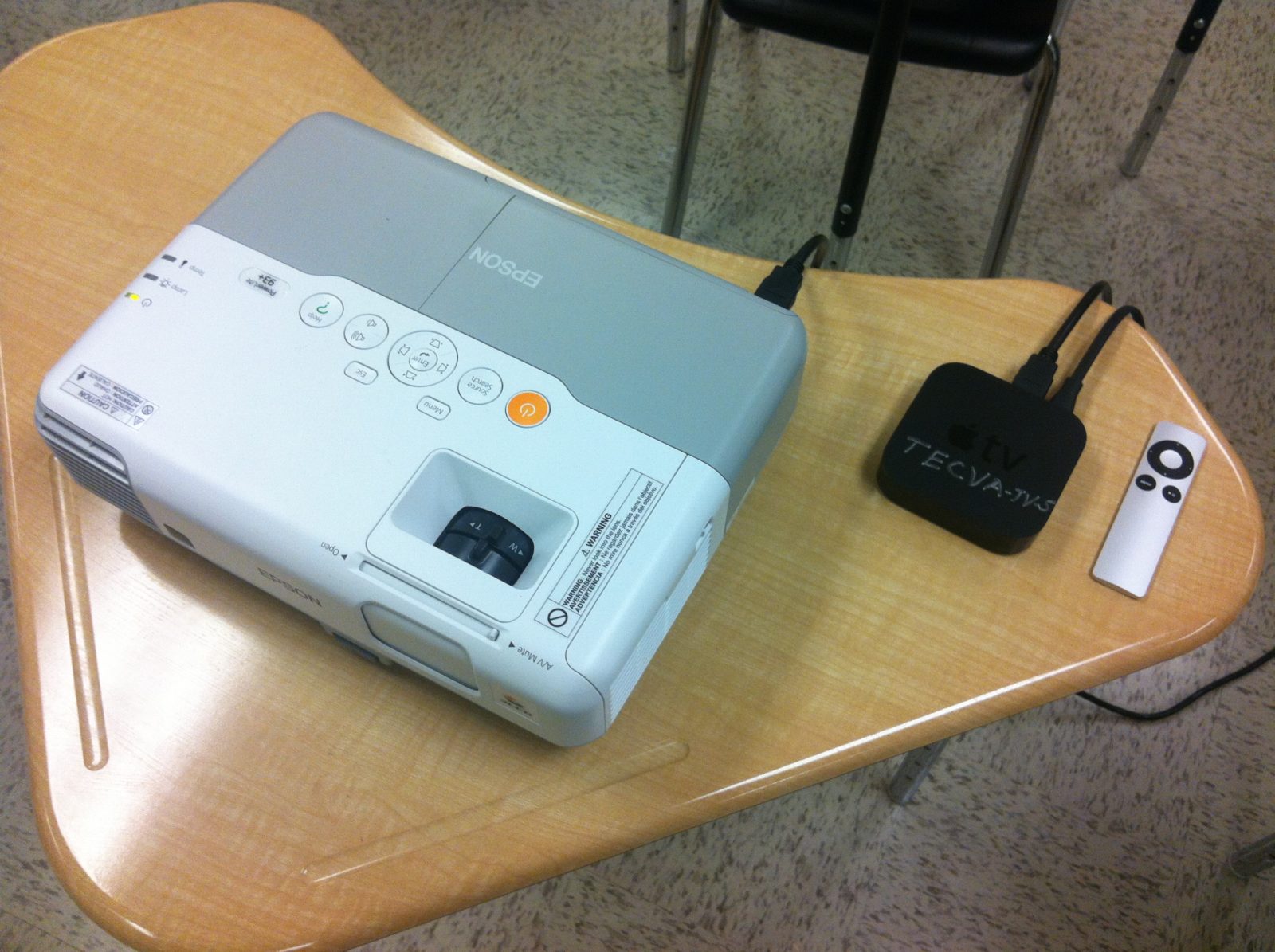
Apple TV In The Classroom – The New Smart Board

An iPad and Apple TV can combine to provide an advantageous alternative to more expensive, traditional interactive white boards. Guest writer and High…

via Apple TV In The Classroom – The New Smart Board.

Kyle Pearce

About Kyle Pearce

Secondary Math Teacher and Intermediate Math Coach with the Greater Essex County District School Board leading a Ministry funded 1:1 iPad project called Tap Into Teen Minds. I currently teach at Tecumseh Vista Academy K-12 in the morning and focus on duties for the Middle Years Collaborative Inquiry (MYCI) Project in the afternoon.

Apple offers budget, EDU-only 13″ MacBook Air as White MacBook Replacement

Apple offers budget, EDU-only 13

Apple offers budget, EDU-only 13

Kyle Pearce

About Kyle Pearce

Secondary Math Teacher and Intermediate Math Coach with the Greater Essex County District School Board leading a Ministry funded 1:1 iPad project called Tap Into Teen Minds. I currently teach at Tecumseh Vista Academy K-12 in the morning and focus on duties for the Middle Years Collaborative Inquiry (MYCI) Project in the afternoon.

Pulse.to – Free Text Message Alert Service to Students & Their Parents

Pulse.to Free Text Message Alert Service for Teachers to Text Students & Parents

**Update (Feb 11, 2012)**

Each “Pulse” you send now costs $0.15 per person on your Pulse list, but they will give you 250 free credits each month if you are an EDUCATOR and contact them directly.  They would like to keep the service free to the Education Community.**

A colleague and good friend of mine, Joel Caslick, had a great idea a couple of years ago to create a text message list which could keep students and parents informed of what was going on in his Science course at Belle River District High School in South-Western Ontario.  The only problem with his plan was the controversial situation it would create with students receiving texts from his personal cell phone and the lack of privacy it would provide him.

After a long while searching, he finally came across a great service which allows educators, coaches, supervisors, etc. to create a text message list, and send messages to the list without revealing the cell phone number of the sender.

This free service is offered by www.Pulse.to and I have recently jumped on board utilizing this great service to keep my own students and parents informed of the happenings in my math classes.

Here’s how to set up your own “Pulse”

1)  Go to www.pulse.to

Image

2)  Create a FREE Pulse.to account

Image

3)  Create a “PULSE” or text message list by naming it appropriately (i.e.: course code, or other easy to remember name)

Image

4)  Share your Pulse information with your students, athletes, employees, etc.

To join a pulse called mfm1p, the user simply sends this text message to (704) 323-7775:

JOIN mfm1p

Image

5) Send a pulse from your phone directly, or by logging into the pulse.to website:

Image

6)  Post instructions on your website to allow members to leave the list

Stop text messages by texting the following to (704) 323-7775:

LEAVE mfm1p

Image

Pulses are sent out immediately to all members of your text message list and are received within minutes.  Consider using this free service in your classroom as another way to utilize an easy line of communication with today’s modern learner and their families.

Image

Kyle Pearce

About Kyle Pearce

Secondary Math Teacher and Intermediate Math Coach with the Greater Essex County District School Board leading a Ministry funded 1:1 iPad project called Tap Into Teen Minds. I currently teach at Tecumseh Vista Academy K-12 in the morning and focus on duties for the Middle Years Collaborative Inquiry (MYCI) Project in the afternoon.

Educational Technology With iPad 2, Dropbox, Math TIPS4RM & More

On January 25th, I was invited to share my Teacher Learning and Leadership Program project with the Greater Essex County District School Board (GECDSB) principals and senior administration at their Learning Carousels.

Sadly, a 40-minute session only allowed me to scratch the surface of what the Tap Into Teen Minds project is all about.  If you were there and want to learn more, check out the following document which includes all the slides which we did not have a chance to get to!

Educational Technology | Math Paperless Classroom | Dropbox | Math TIPS4RM

The following topics were included in this document:

  • iPad/Tablet Misconceptions in Education
  • Tablet Roadblocks in Education
  • Why iPads and Not a Less Expensive Tablet?
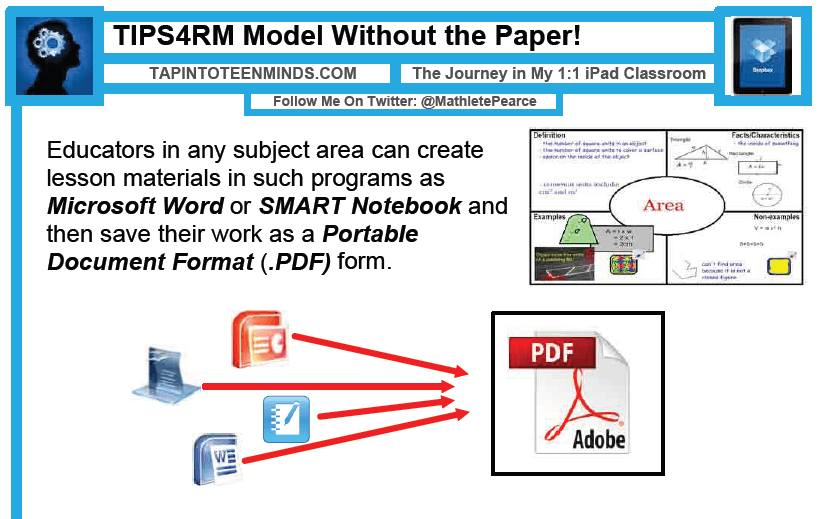
  • TIPS4RM Model Without Paper!
  • How Do Students Access the PDF Worksheet?
  • How Do Students Write on the PDF File?
  • neu.Annotate as Our Writing Tool
  • Dropbox:  Creating a Digital Portfolio
  • Uploading to Dropbox
  • Access Your Digital Portfolio Anywhere
  • Advantages to a Digital Portfolio in the Cloud
  • Replacing Classroom Clicker Systems With Google Docs
  • Creating a Google Docs Form to Poll Students
  • Replacing IWB With Splashtop
  • Useful Apps

CLICK BELOW TO DOWNLOAD THE TAP INTO TEEN MINDS PRESENTATION:

Educational Technology Uses of iPad in the Classroom | Dropbox | Math TIPS4RM

Kyle Pearce

About Kyle Pearce

Secondary Math Teacher and Intermediate Math Coach with the Greater Essex County District School Board leading a Ministry funded 1:1 iPad project called Tap Into Teen Minds. I currently teach at Tecumseh Vista Academy K-12 in the morning and focus on duties for the Middle Years Collaborative Inquiry (MYCI) Project in the afternoon.

Apple iPad Student Tutorial: Dropbox & neu.Annotate+

With the start of the second semester tomorrow, I have put together a series of slides which give students new to the iPad some instructions on how to get started using the device in my mathematics classroom.

This Apple iPad student tutorial, available in PDF form below, gives instructions which allow the student to access course PDF documents, open them into an iPad annotation app called neu.Annotate+, and save their work into the “cloud” in their Dropbox account.  There are also instructions on how students can “share” their Dropbox folder with the teacher and their parents.

Hopefully, this educational technology tutorial will help you implement an Apple iPad 1:1 or 1:many program in your classroom effectively!  Enjoy!

ACCESS THE STUDENT iPAD TUTORIAL BY CLICKING BELOW:

Image

*Note that neu.Annotate was a free iPad annotation app, but since some great new features have been added, is now $1.99 on the Apple iOS App Store as I write this.

Quick Details About Both Apple iOS Apps for iPad

neu.Annotate+ PDF App $1.99

neu.Annotate+ PDF is a great iPad app which allows the user to annotate or write on PDF files directly on the screen. This has been the app used most by my Tap Into Teen Minds iPad Project in order to create a paperless math classroom. This app has allowed me to take all of my math material which would be printed on paper or simply displayed via projector and distribute to the students digitally via the course website on a daily basis. Very easy to use and very effective in creating a paperless classroom using an iPad 1:1 program.

Dropbox App FREE

One of the first cloud computing solutions, Dropbox is a huge help when allowing multiple students use a single iPad throughout a given day. The free Dropbox app allows students to save content from the iPad to their Dropbox account and access the files from anywhere. Since the files are stored in the “cloud,” this means that students can access the files via their smartphone, computer, or tablet anywhere in the world where they can get an Internet signal. Whats more, if they download Dropbox for their home computer, their files will sync automatically so their content will automatically be on their home computer.

I’ll be hanging out in the comments below if you have any questions or comments about neu.Annotate+ or Dropbox!

Kyle Pearce

About Kyle Pearce

Secondary Math Teacher and Intermediate Math Coach with the Greater Essex County District School Board leading a Ministry funded 1:1 iPad project called Tap Into Teen Minds. I currently teach at Tecumseh Vista Academy K-12 in the morning and focus on duties for the Middle Years Collaborative Inquiry (MYCI) Project in the afternoon.